

# Device Management
Through Devices in the left navigation bar, you can perform unified management on all devices.
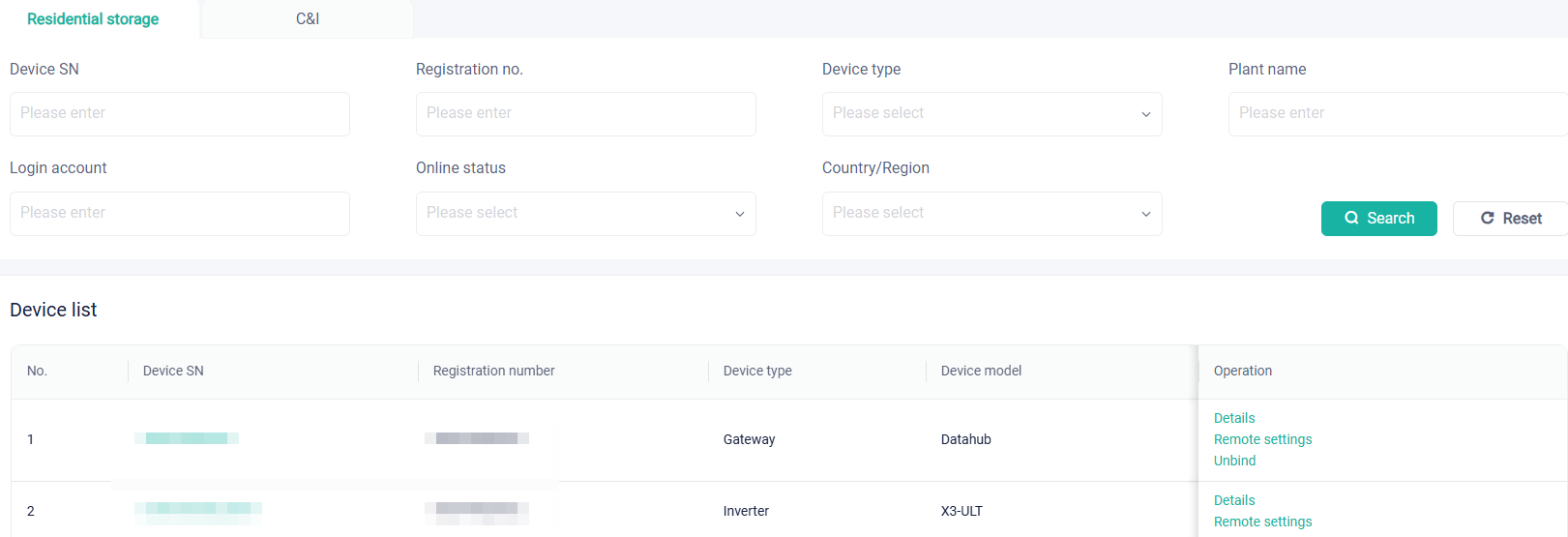
# Residential device management
You can manage residential devices through the following operations:
Search: You can search for one or multiple devices by setting search conditions.
Details: Click it to view the basic device information, version information, real-time data, statistical data, data report, function control and so on. The detail page may vary with the device type, which should be subject to the actual situations.
Remote settings: Click it to set a device remotely. Parameters vary with device model. Please refer to the corresponding user manual for parameters setting. Access website: https://www.solaxpower.com/products/.
Unbind (only available to specified devices): Unbind a device from a plant.
IV curve (only available to specified devices): Click it to generate an IV curve. This curve can reflect the performance of solar battery, to offer data for making higher-performance batteries.
# C&I device management
You can manage residential devices through the following operations:
Search: You can search for one or multiple devices by setting search conditions.
Details:When click Details, you will see the system where the device is located. Through the system architecture, you may have a general idea about what role the device plays in the system. Besides, this page also shows the following information about the device: work state, basic information, real data, and so on. This page may vary with the device type, which should be subject the actual situations.
Remote settings: Click it to set a device remotely. Parameters vary with device model. Please refer to the corresponding user manual for parameters setting. Access website: https://www.solaxpower.com/products/.
Firmware upgrade: Upgrade firmware remotely for a device.
[!Note] Except Search and Details, the other operations in this page will vary with the device type. The finally displayed page shall be subject to the actual situations.