

# Inverter
On the left navigation bar, select Monitoring>Device List>Inverter, to open the inverter list page.
This page displays the overall situations of all inverters under the current account. You can find a certain inverter by entering the device name, registration number, or device SN in the search box, or by selecting the online status or country & region.
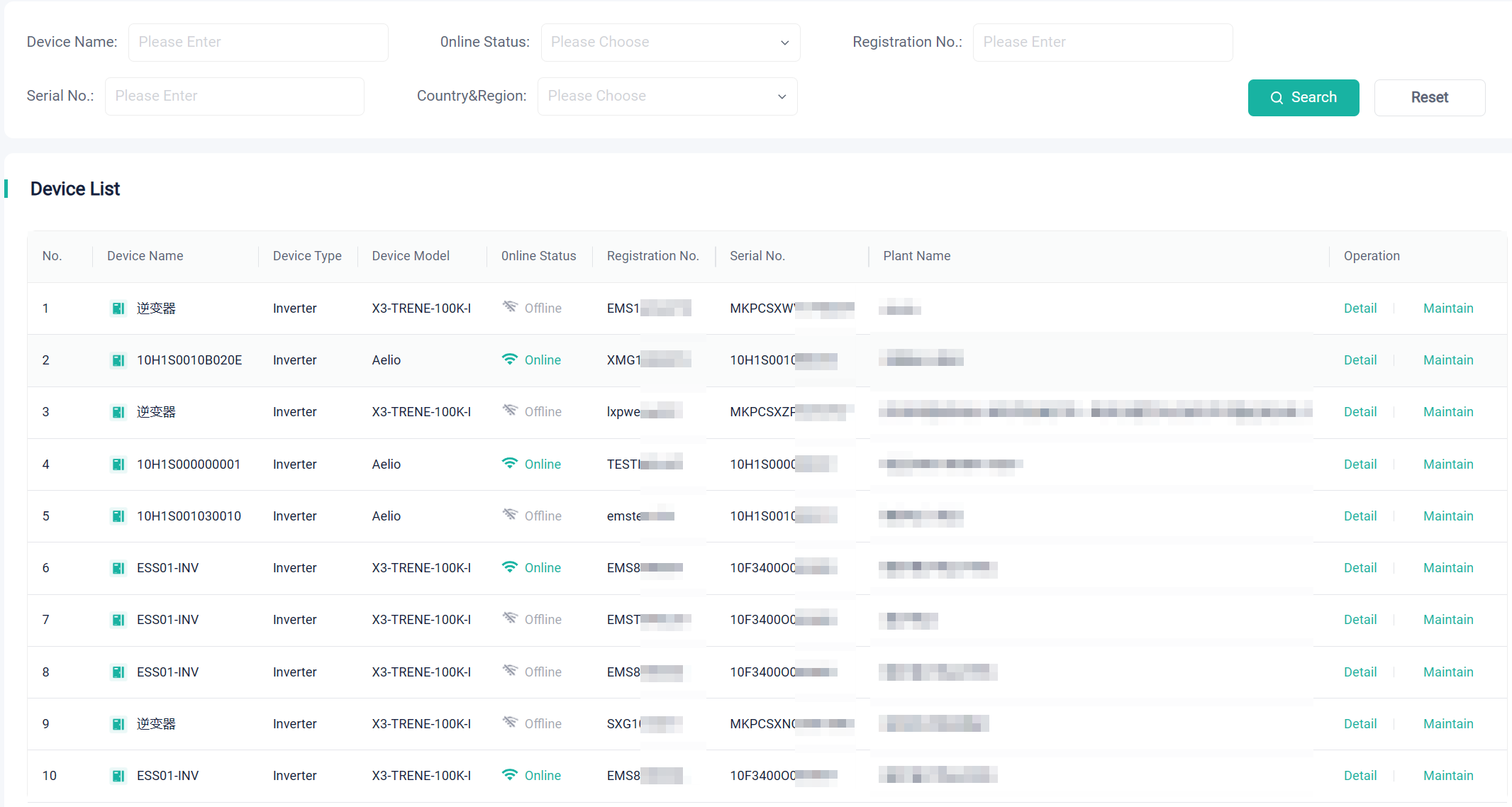
At the device list, you can view the model, plant name, registration number, SN, and online status of a device.
In addition, you can perform the following operations on an inverter:
Detail: Click to view the running status, off-grid/grid-connected status, basic information and real-time data of the device.
Maintain: Click to view the device information. Provides entrances to firmware upgrade and remote settings. The device can be turned off or on remotely. The page may vary with the device model.