

# Alarm List
On the left navigation bar, select Monitoring>Alarm List. Through the alarm list, you can view the present and past alarms of plants under the account. According to the function, the alarm list page is divided into 3 parts: search area, alarm list area, and alarm notification setting button.
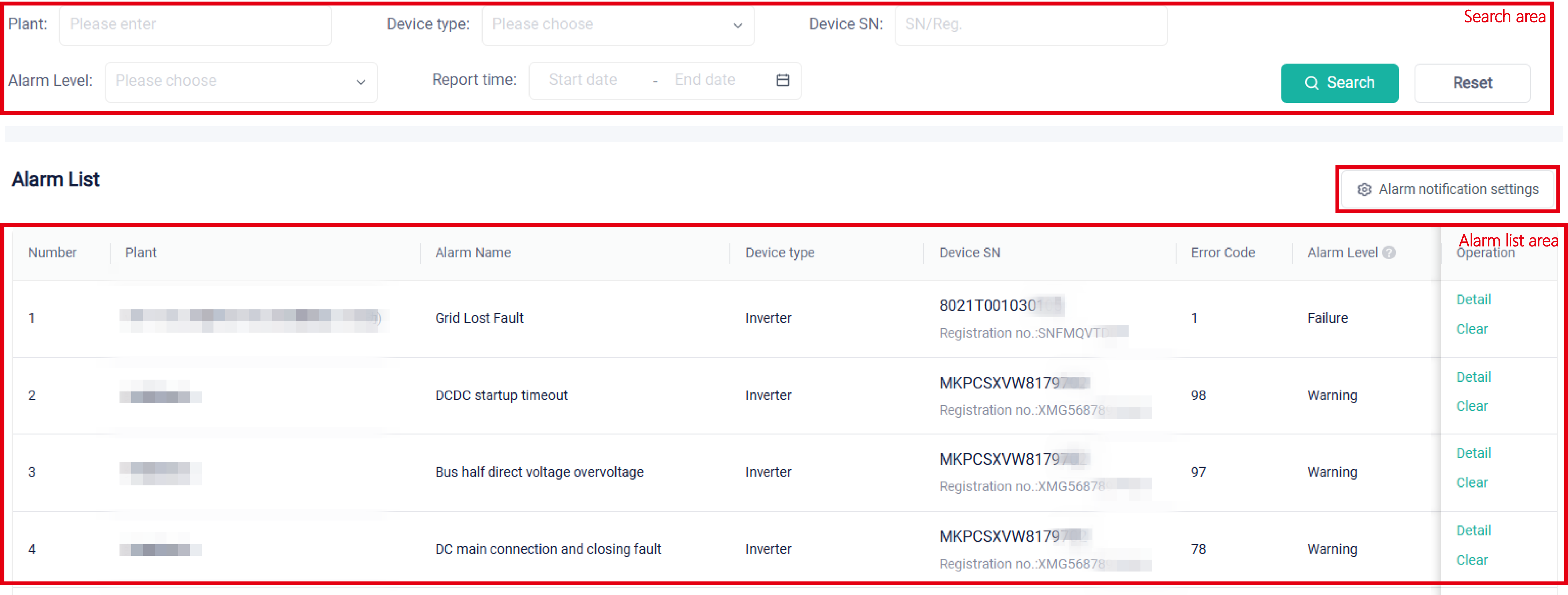
Search area: Users can search for specific alarm messages by keyword, such as plant name, alarm level, device type, and report time.
Alarm list area: Users can view all alarms and the details of an alarm message. Based on error codes and alarm details, you can locate and solve problems quickly .
Alarm notification settings: Click to determine whether to enable alarm notifications. If it is enabled, you need to further set which level of alarms needs to be sent, the maximum number of notifications per day, and recipients.
← Plant List EMS →