

# Battery
On the left navigation bar, select Monitoring>Device List>Battery. The battery list page displays the overall situations of all batteries under the current account. You can find a certain battery by entering the device name, registration number, or device SN in the search box, or by selecting the online status or country & region.
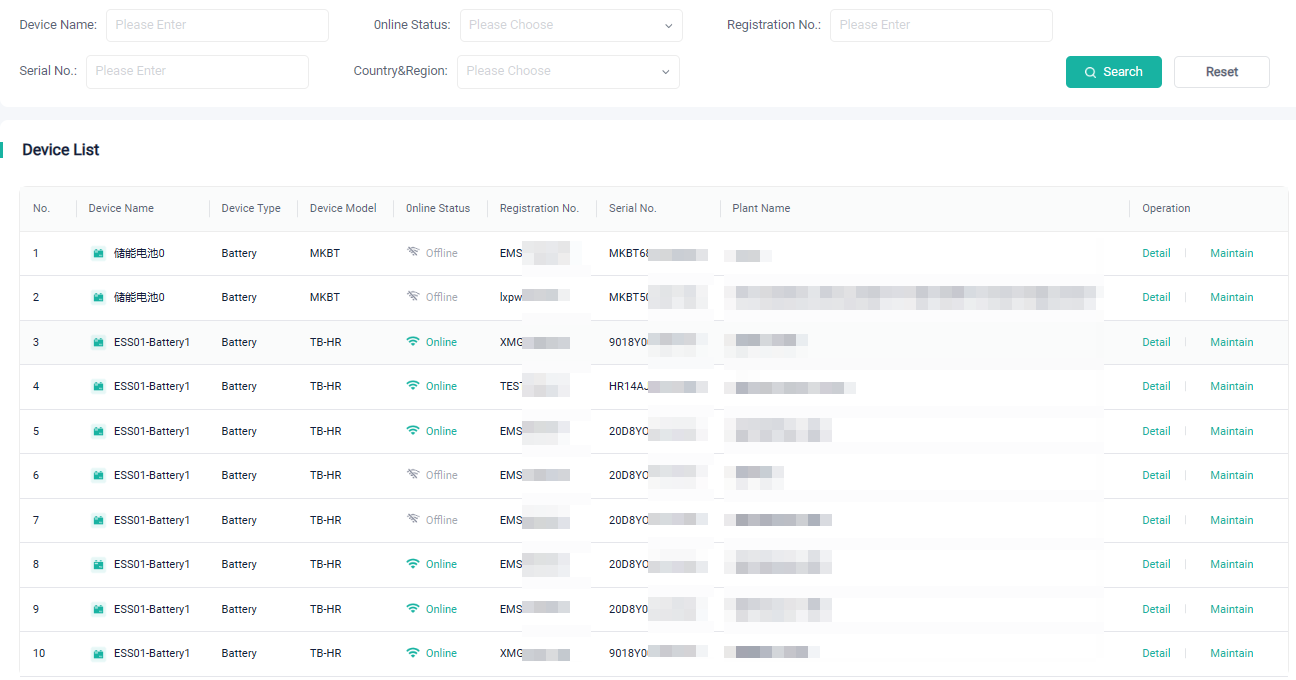
At the device list, you can view the model, plant name, registration number, device SN, and online status of a device.
In addition, you can perform the following operations on a battery:
Detail: Click to view the running status, charge/discharge status, basic information, and real-time data of the device.
Maintain: Click to view the device information. Provides an entrance to firmware upgrade.
← Charger Data Overview →