

# Local Access
In local mode, a user may view device local data and alarm messages, and switch between Wi-Fi and 4G.
There are two entrances to accessing the local mode:
- On the login page, select More>Local Mode.
- On the homepage, select Services>Applications>Local Access.
# Login
- Tap
 to scan the Pocket QR code or manually enter the Pocket registration number. After the registration number is identified successfully, enter the local password (optional. If the end user has set the local password) and tap Login.

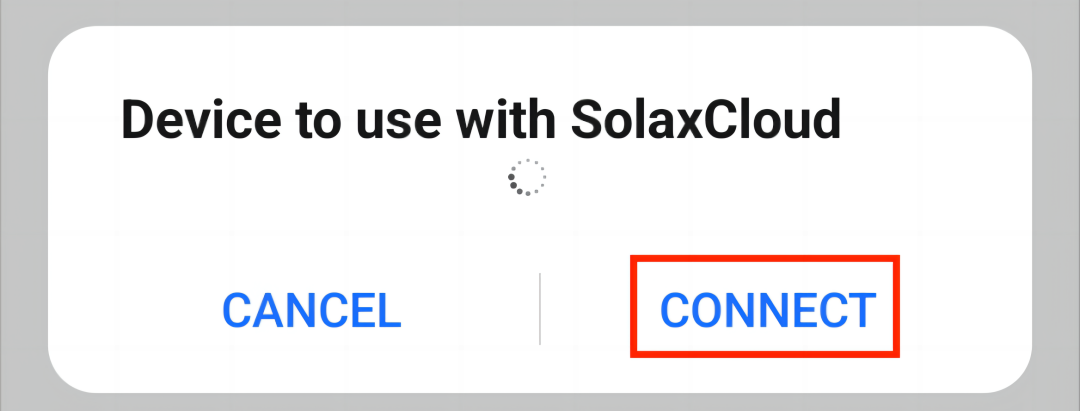
- Tap Connect when the following window pops up.
# Network Configuration
When using a Dongle Pocket Wi-Fi+4G as the communication device, you can switch between Wi-Fi and 4G by configuring the corresponding network in local mode.
# Wi-Fi
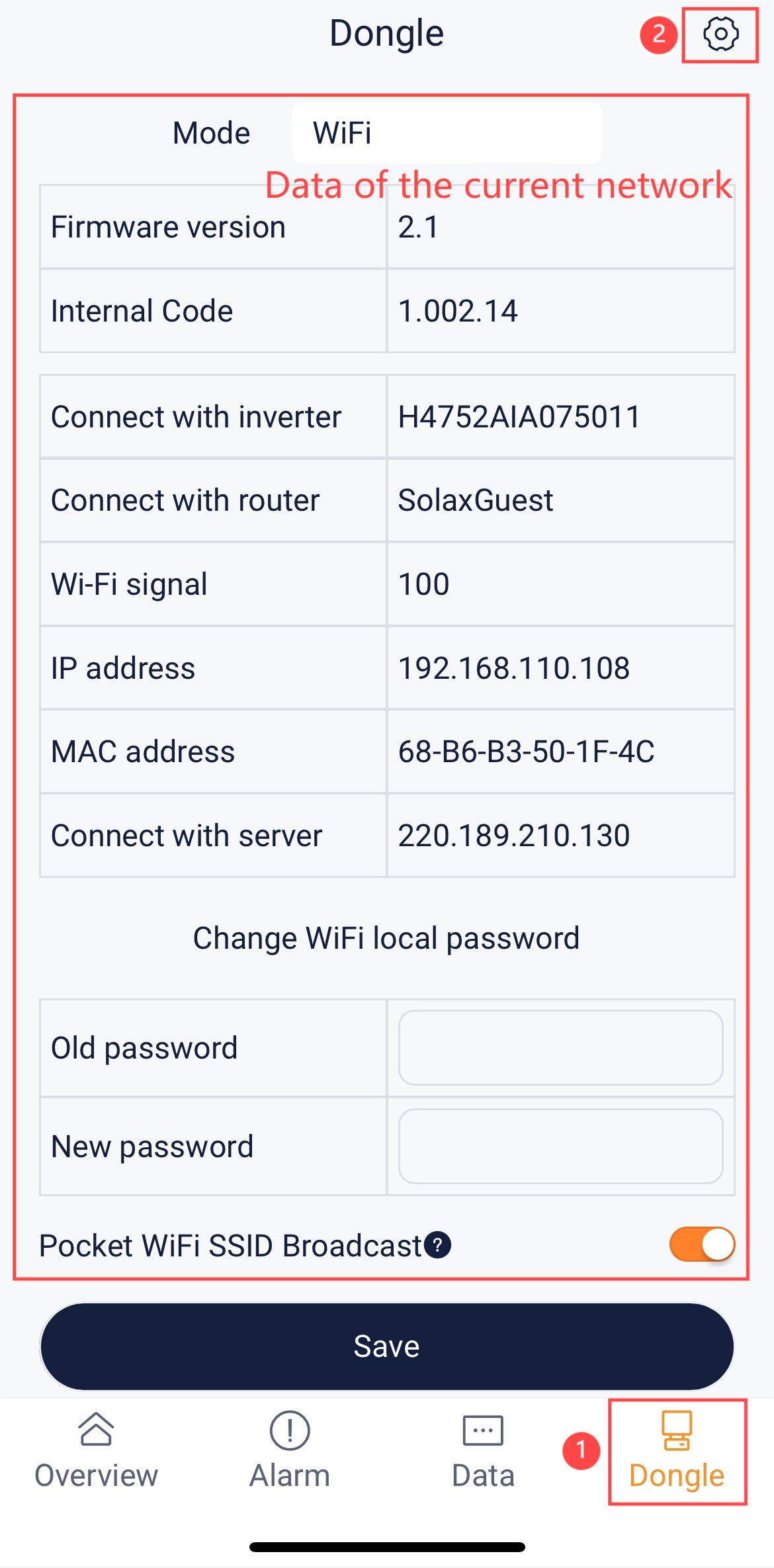
Step 1: Select Dongle at the bottom bar, to go to the Dongle page. At the Dongle page, tap  at the upper right corner to go to the network configuration page.
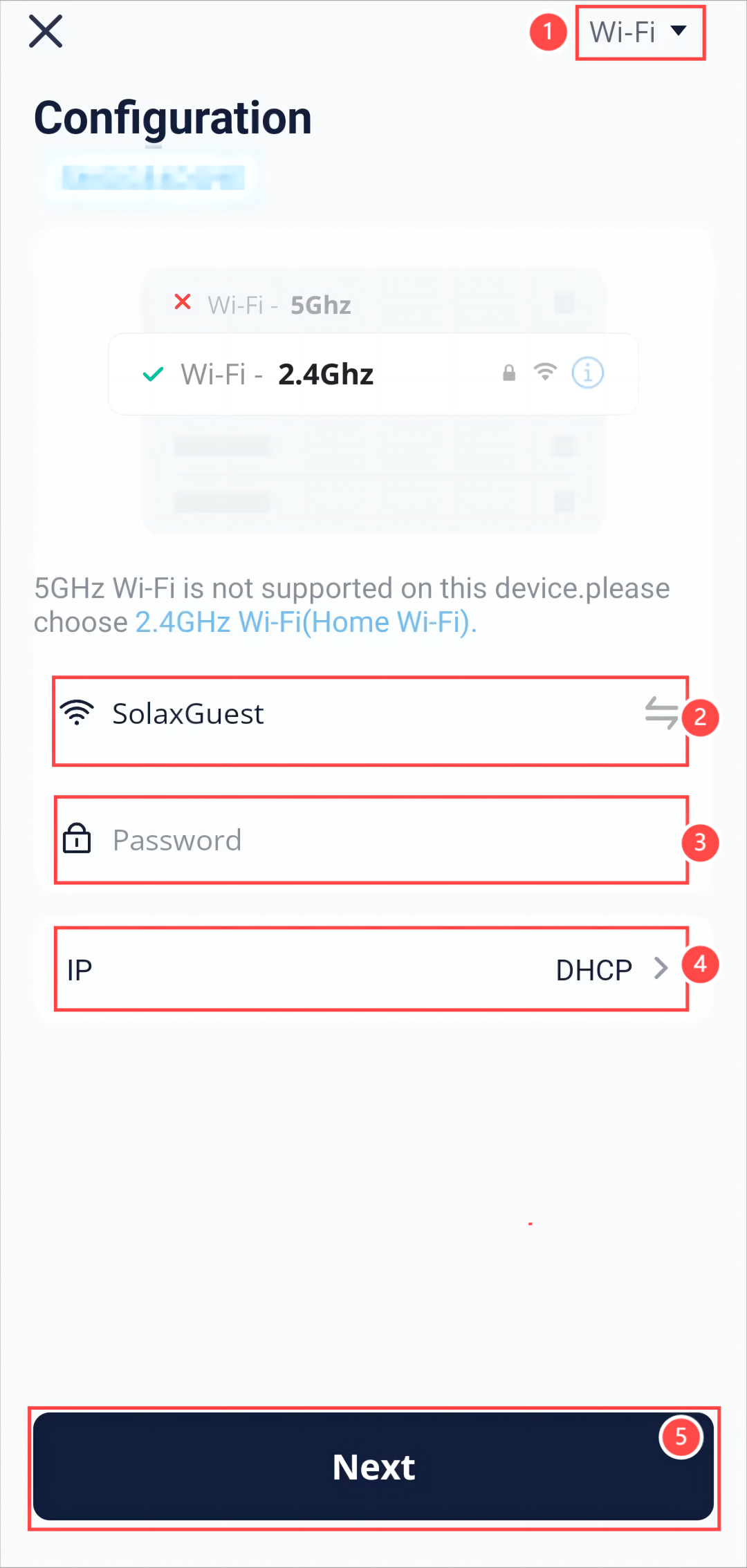
Step 2: At the network configuration page, configure the following items:
- Select Wi-Fi as the communication mode.
- Select an available network from the AP list.
- Enter the network password.
- Select whether to enable DHCP. If DHCP is disabled (that is, enable Static IP), you need to provide detailed information about the network.
- Tap Next.
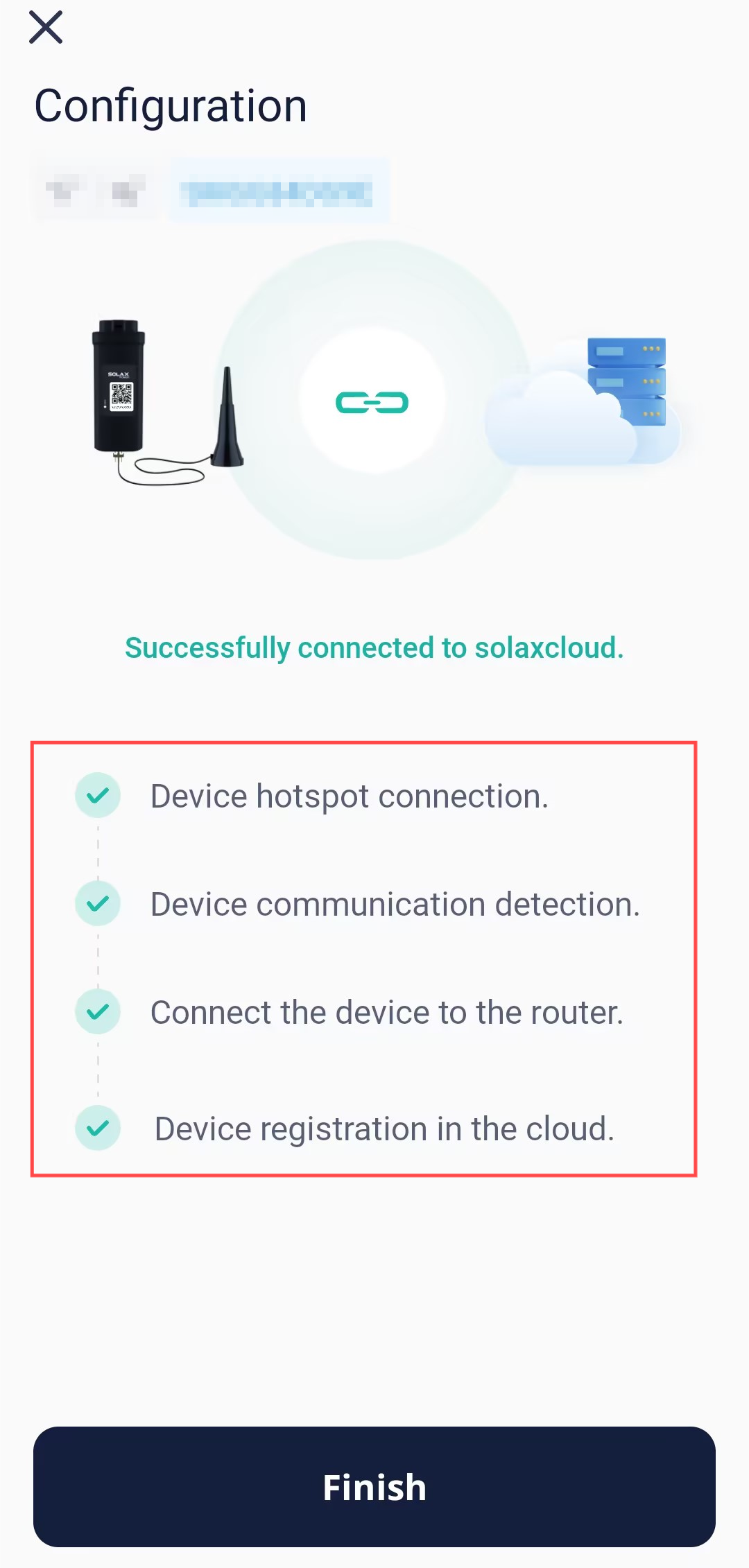
Step 3: Wait for several minutes until all indicators (shown in red box) are lit up, which indicates that device Wi-Fi network configuration is successful. Tap OK.
# 4G
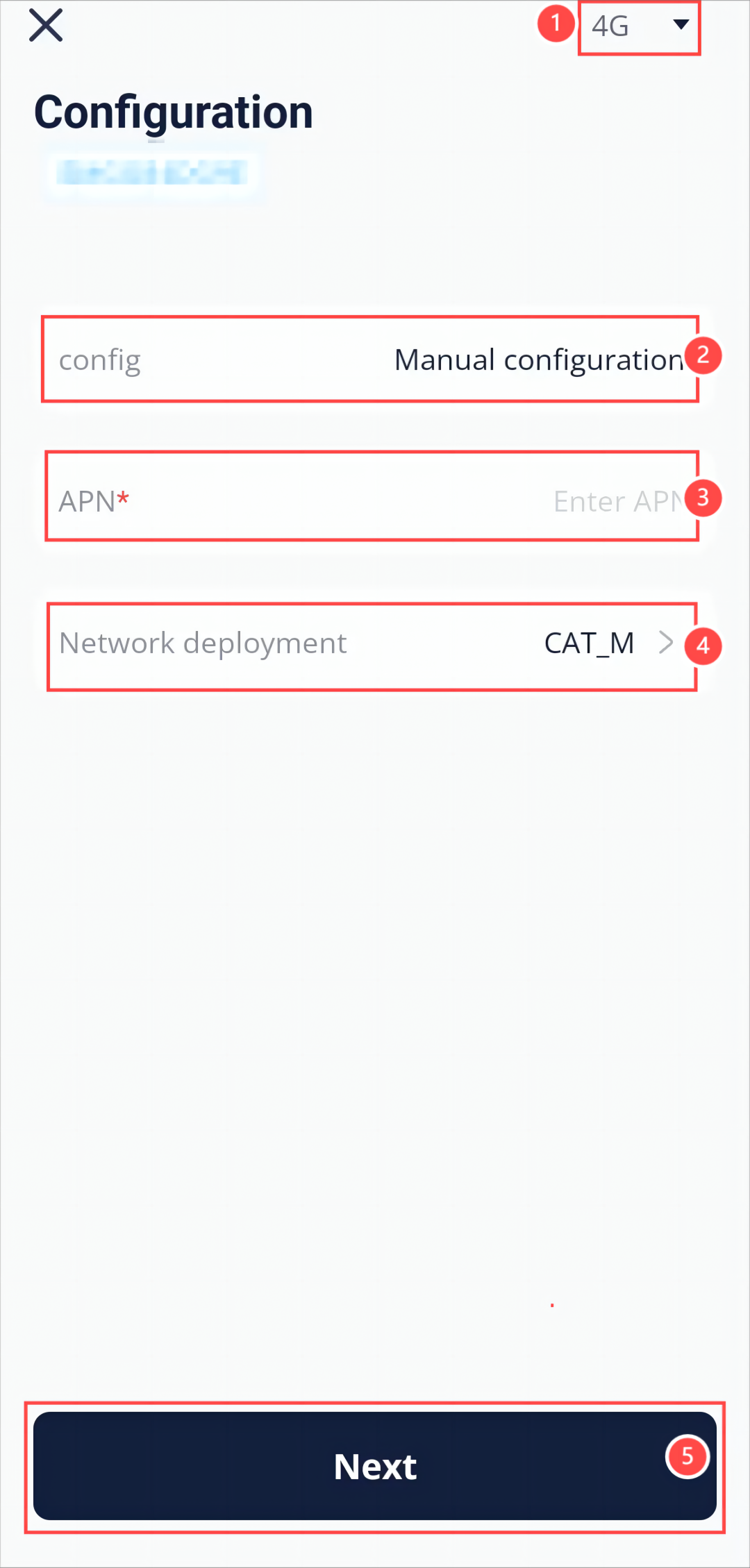
Step 1: Select Dongle at the bottom bar, to go to the Dongle page. At the Dongle page, tap at the upper right corner to go to the network configuration page.
Step 2: At the network configuration page, configure the following items:
- Select 4G as the communication method.
- Select Manual configuration as the configuration mode.
- Enter the APN.
- Enter the network deployment.
- Tap Save.
Step 3: Wait for several minutes until all indicators (shown in red box) are lit up, which indicates that device Wi-Fi network configuration is successful. Tap OK.
[!Note] Do not leave any page during networking. Otherwise, the network configuration will exit and fail.