

# Join VPP
As the global energy structure continues to transiting toward renewable energy, VPPs (Virtual Power Plants) have emerged as a forward-looking solution for integrating distributed energy resources and enhancing grid flexibility. This innovative model is gaining widespread attention across the energy industry. However, for some users, the conventional way to joining a virtual power plant is often rather cumbersome.
To address this issue, SolaXPower has launched a VPP function within this App. Through it, you can seamlessly access the VPP ecosystem.
# VPP Entrance
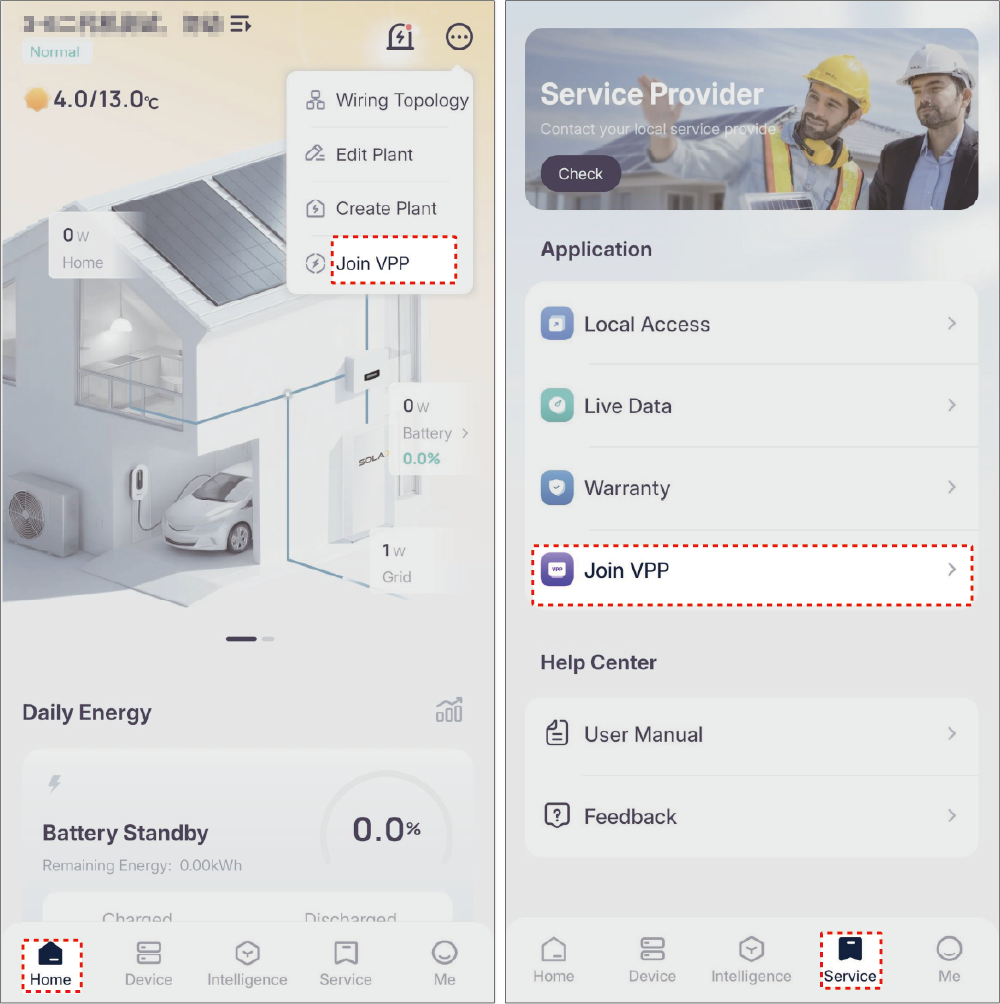
Two entrances to VPP service:
- Homepage > Upper right corner Join VPP.
- Service > Application > Join VPP.
# VPP Registration
Before registration, make sure:
- The location of your plant is filled correctly. Then the system will automatically recommend VPPs based on it.
- Your SolaX device support the VPP function. Otherwise, registration will fail.
Registration Method
Different methods for clients of different VPPs:
Method 1: Connect us via VPP. Log into your VPP platform, add your SolaX device, fill in your basic information, authorize, and submit to register.
Method 2: Connect VPP via SolaXCloud. In Others of the VPP page, select the VPP you'd like to join. Tap Join to skip to the registration page. Complete information as prompted, and then submit to register.
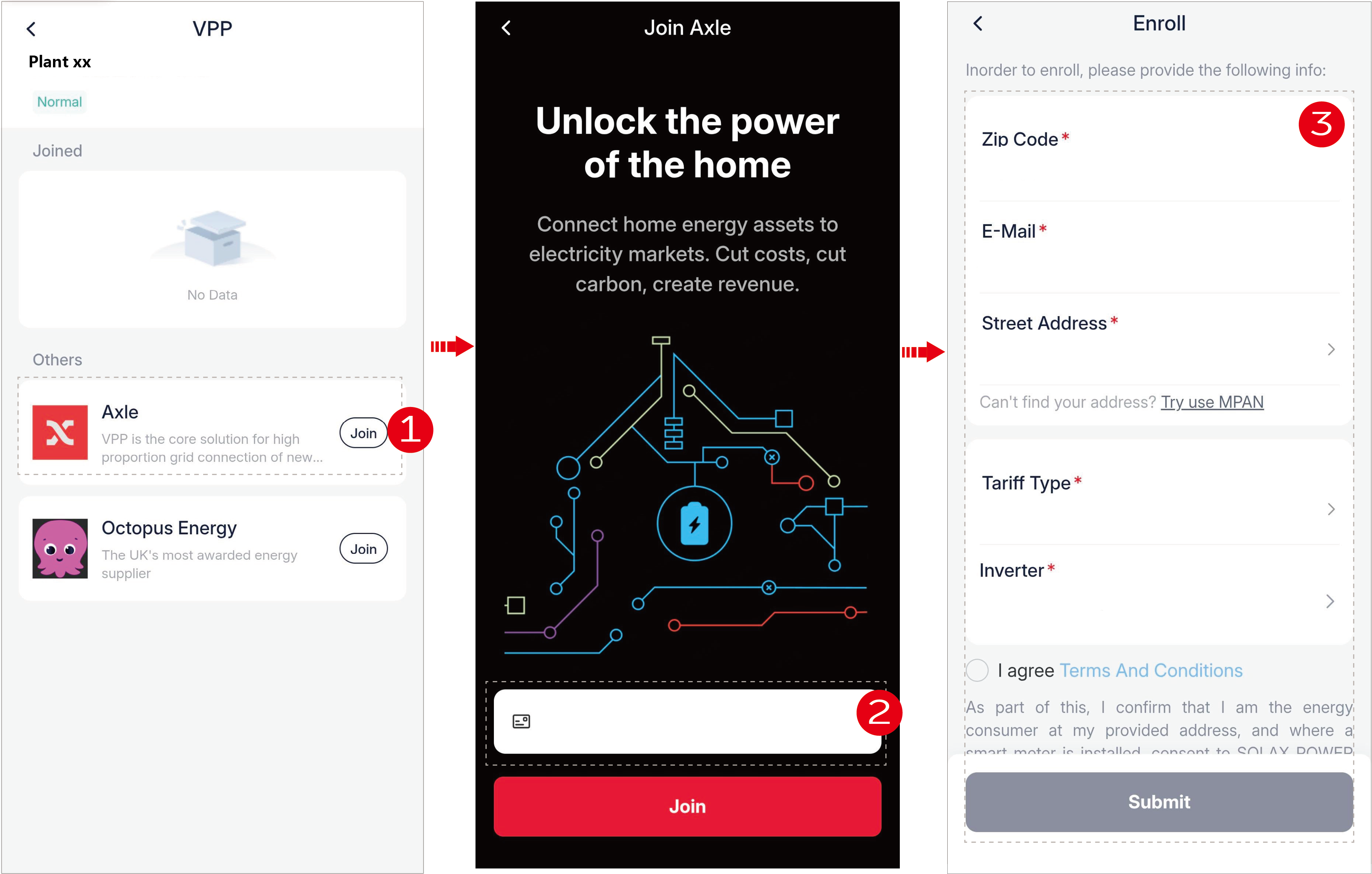
Return after registration. You will see the VPP in Joined. Tap it to view more details.
[Note] After joining the VPP, it is recommended to switch off auto-execution functions, such as Automation, TOU, and XSchedule.