# Comparison
SolaXCloud supports to make a comparison between/among data of plants/devices, to find out which plant/ device is abnormal or find the plant/device that need your special attention.
# Operation Method
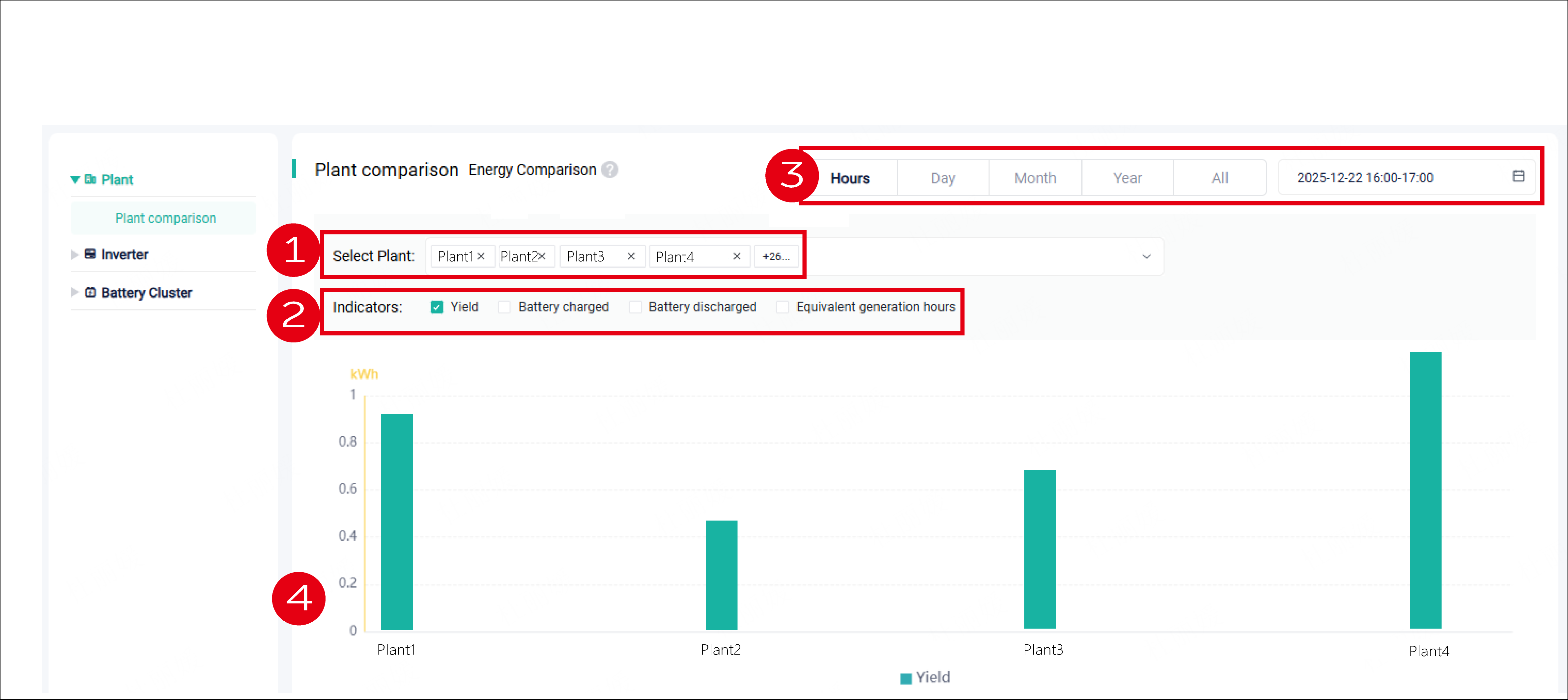
Plant comparison:
- Select plants that need to be compared.
- Set key indicators for comparison.
- Set the time dimensions for comparison.
- Check the generated chart. Different colors represent different indicators.
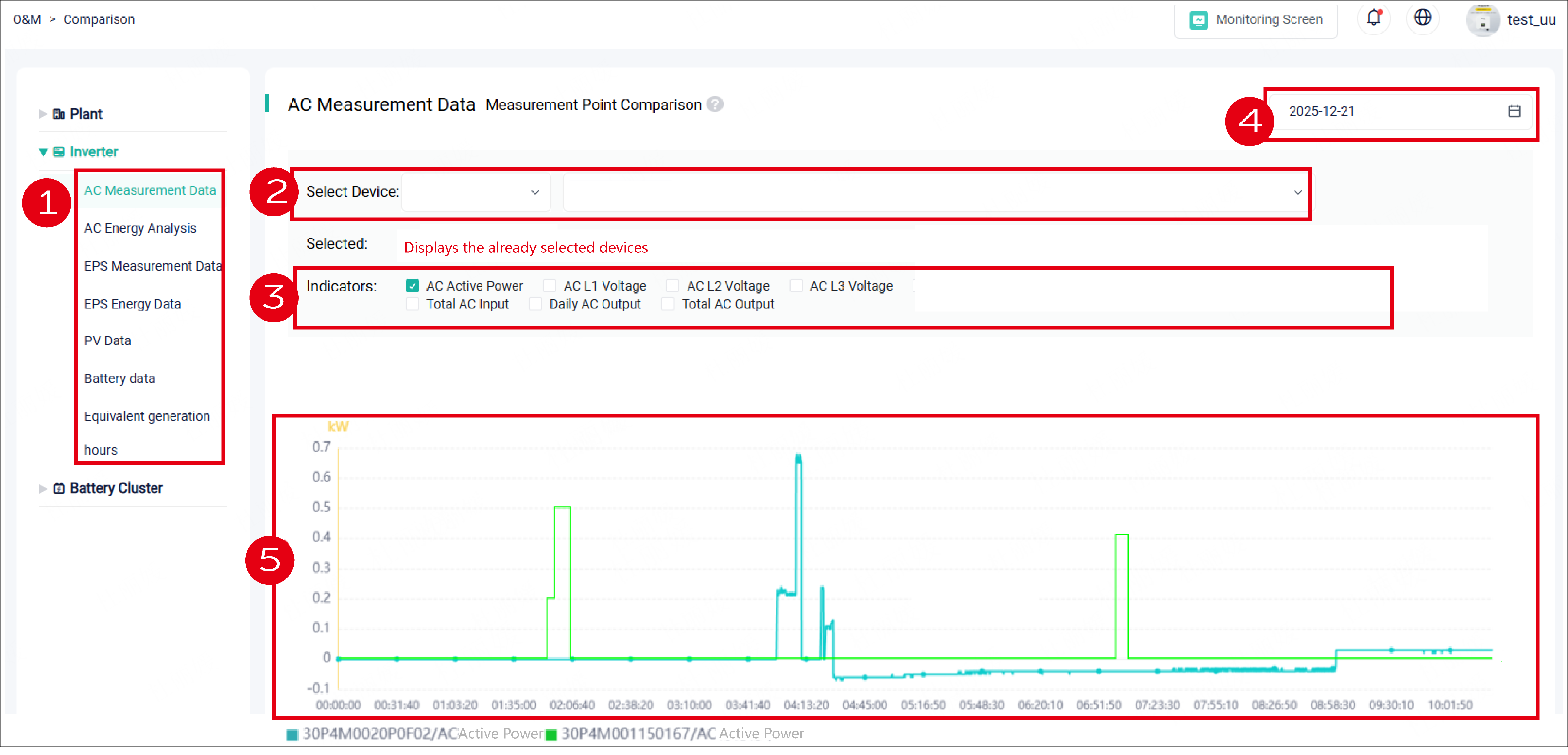
Device comparison:
- Select an aspect, which attracts your special attention, from the drop-down menu.
- Select devices by plant or device itself. The selection result will be shown in the blank.
- Set key indicators for comparison.
- Set the time dimensions for comparison.
- Check the generated chart. Different colors represent different devices.