# Plant Information
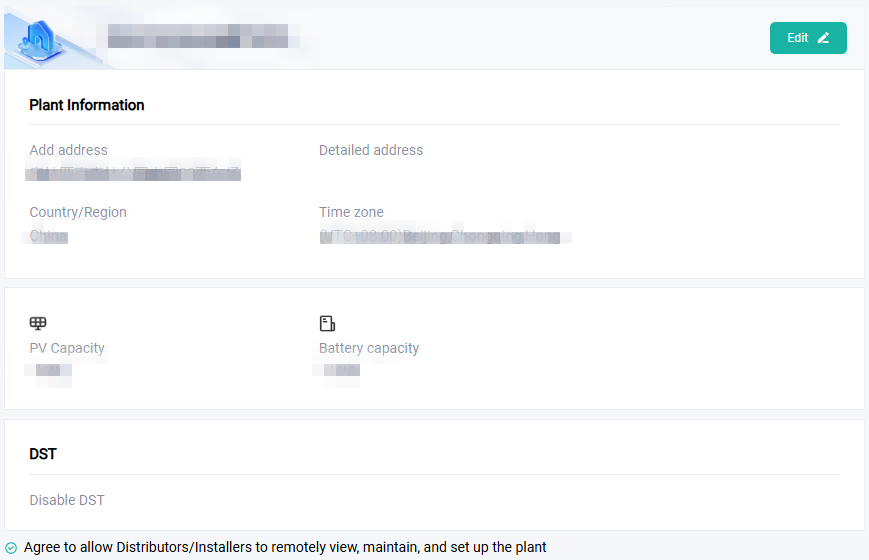
Plant Information includes General Information, Meter Information, and Elect Information.
# General Information
You can view, edit, or modify the basic plant information, disable/enable DST, and determine whether to authorize the right to the agent/installer.
# Elect Information
The following take import price as an example, to show you how to set the tariff.
Customize
Before customizing the electricity price, you need to create a template at Application > Tariff Service > Electricity price template. For details about creating a template, see Tariff Service.
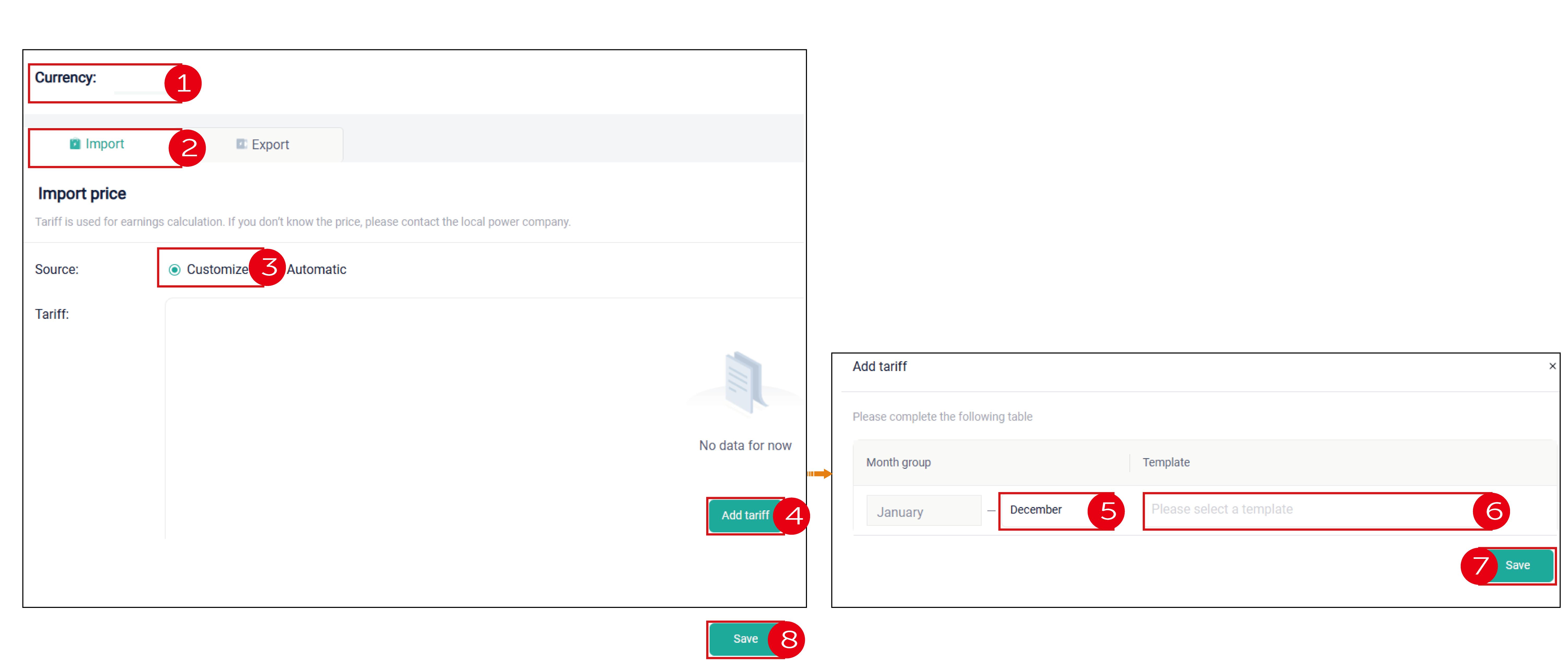
- Select the currency unit.
- Select Import from the tab.
- Select Customize.
- Click the Add tariff button, to enter the Add tariff page.
- Click the month end column, to divide one year (12 months) into different time periods.
- Select a template for each period.
- Click Save after you have set for all periods.
- Return to the Elect information page and click Save.
Automatic
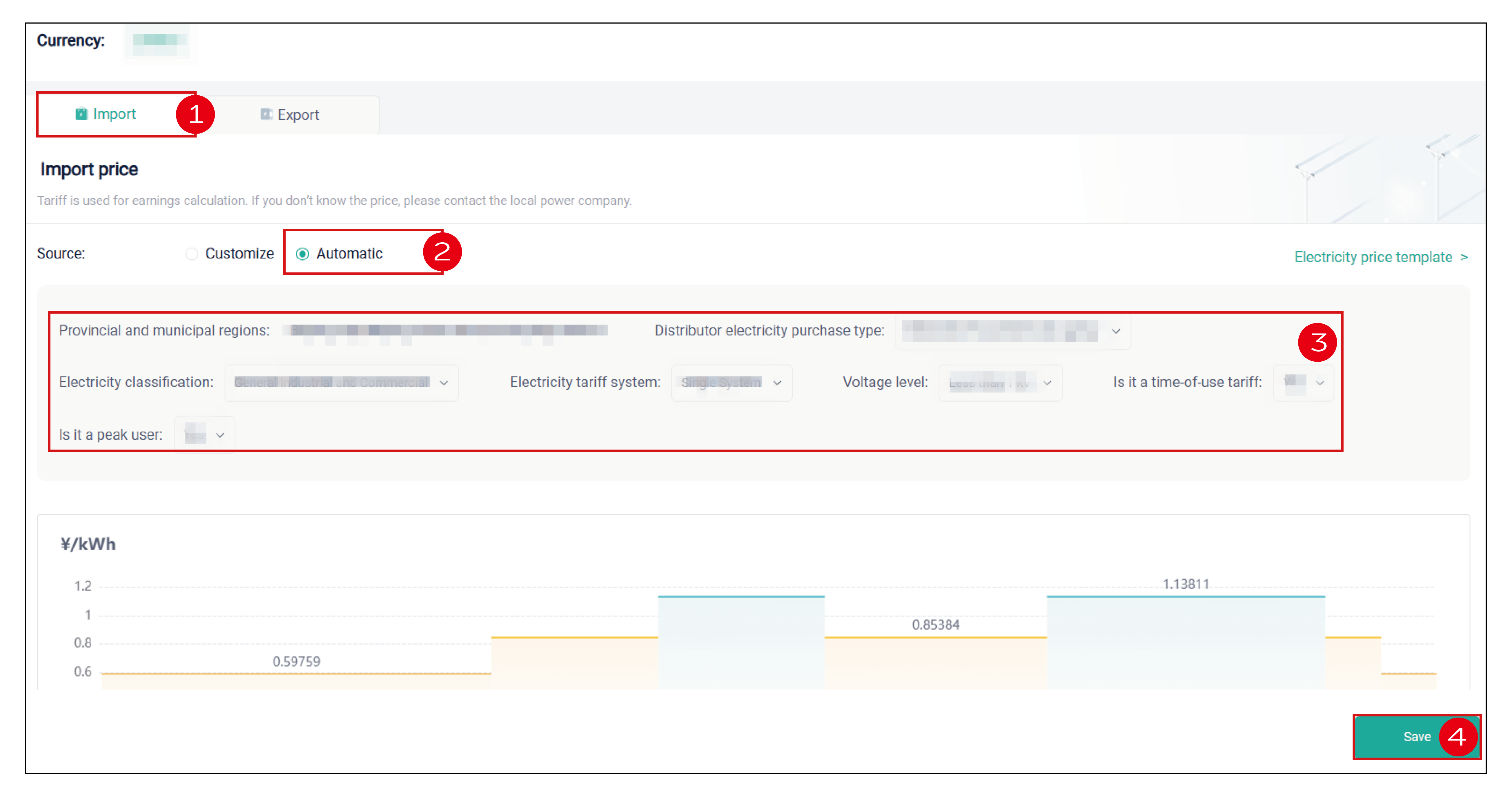
- Select Import from the tab.
- Select Automatic.
- Set the purchase type, electricity classification, tariff system, voltage level, whether TOU (if any), and whether peak user (if any).
- Click Save.