

# Common Service
# Tariff Service
A user can create one or multiple electricity price templates that can be called at any time in different application scenarios.
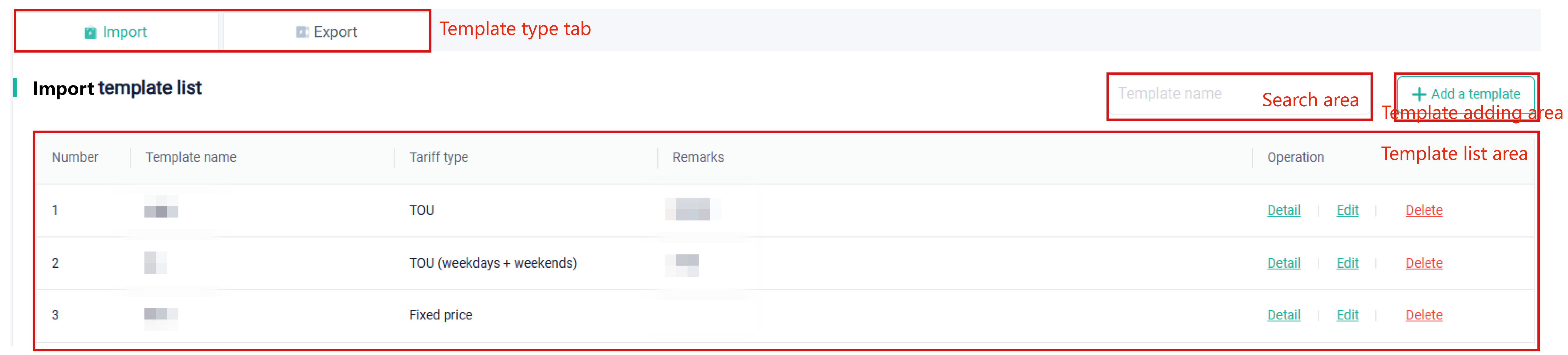
According to the function, the electricity price template page is divided into: template tab, template search area, template list area, and template adding area.
# Search Area
After setting the template type at the tab, you can search for a certain template by its full or partial name.
# Template List Area
In the template list area, you can view all templates as well as view, edit, and delete templates created by yourself and activated sub-users.
Detail: Click to view details about the template, including template name, template type, tariff type, currency, and electricity price for time period.
Edit: Edit or modify the template name, modify the tariff type, as well as re-divide one day (24h).
Delete: Delete the current template.
# Template Adding Area
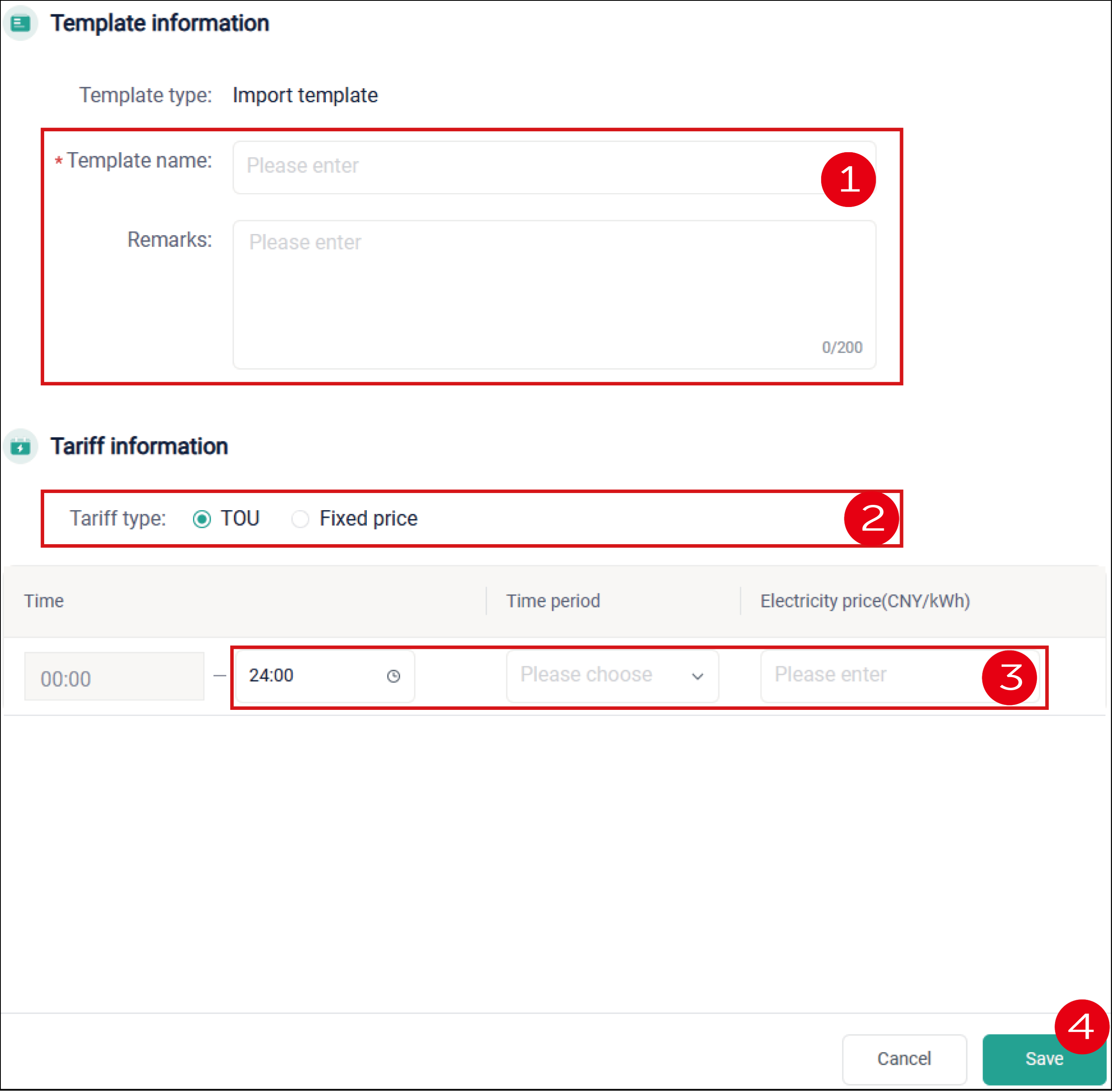
Click "+ Add a template", to create a new tariff template. Here take import price as an example to show you how to create an import price template:
Add template name and other basic information.
Select the tariff type: "TOU" or "Fixed price". Here take TOU as an example.
Click the time end column, to divide one day (24h) into different time periods. The minimum time slot is 15 minutes. Define the time period according to the electricity usage and set the corresponding price.
Click Save when all time periods are set well.
# Email Subscription
It allows you to receive notifications and warning messages in time, so that you can get to know the device status in real time.