# Intelligent (TOU)
TOU (Time of Use) is a mode that allows you to set different electricity prices and usage strategies for different time periods. By setting the charge/discharge time periods, the battery can be charged in lower electricity price periods, and discharge in higher electricity price periods, to save electricity costs.
Select Intelligence>Exploration to set the TOU mode. It should be noted that TOU is only visible when there is a device supporting TOU in the plant.
# Applying TOU mode
To apply the TOU mode, follow steps below:
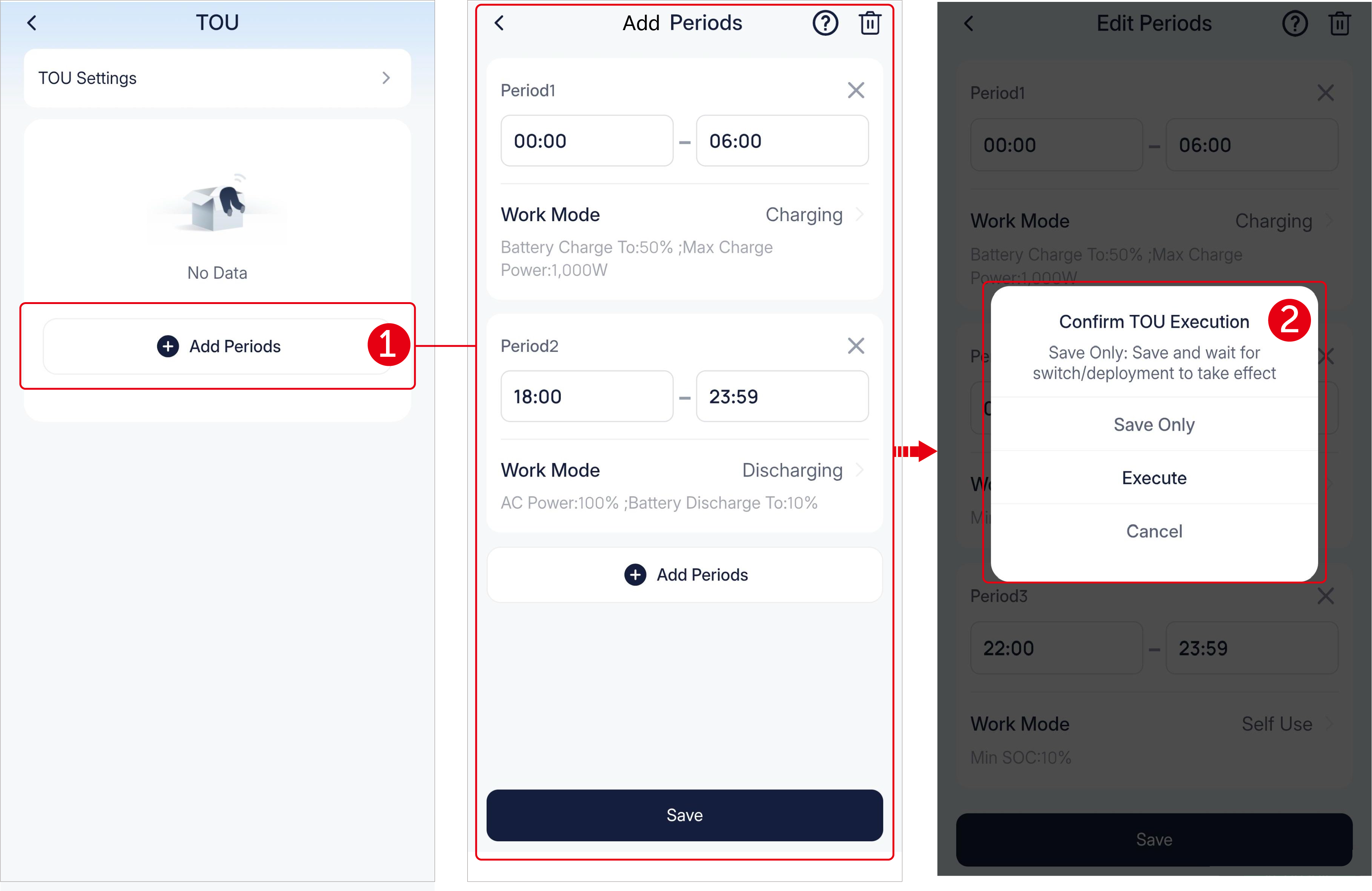
- Tap Add Periods, to begin period adding. Sequentially click the period end blank to divide one day (24h) into different time periods according your power usage habits and specify the work mode for each period. The periods can be intermittent but cannot be overlapped.
- After adding, tap Save. A pop-up window will remind you to "Save only" or "Execute". Note that "Save only" means not executing for now but taking effect once the TOU is enabled or deployed next time.
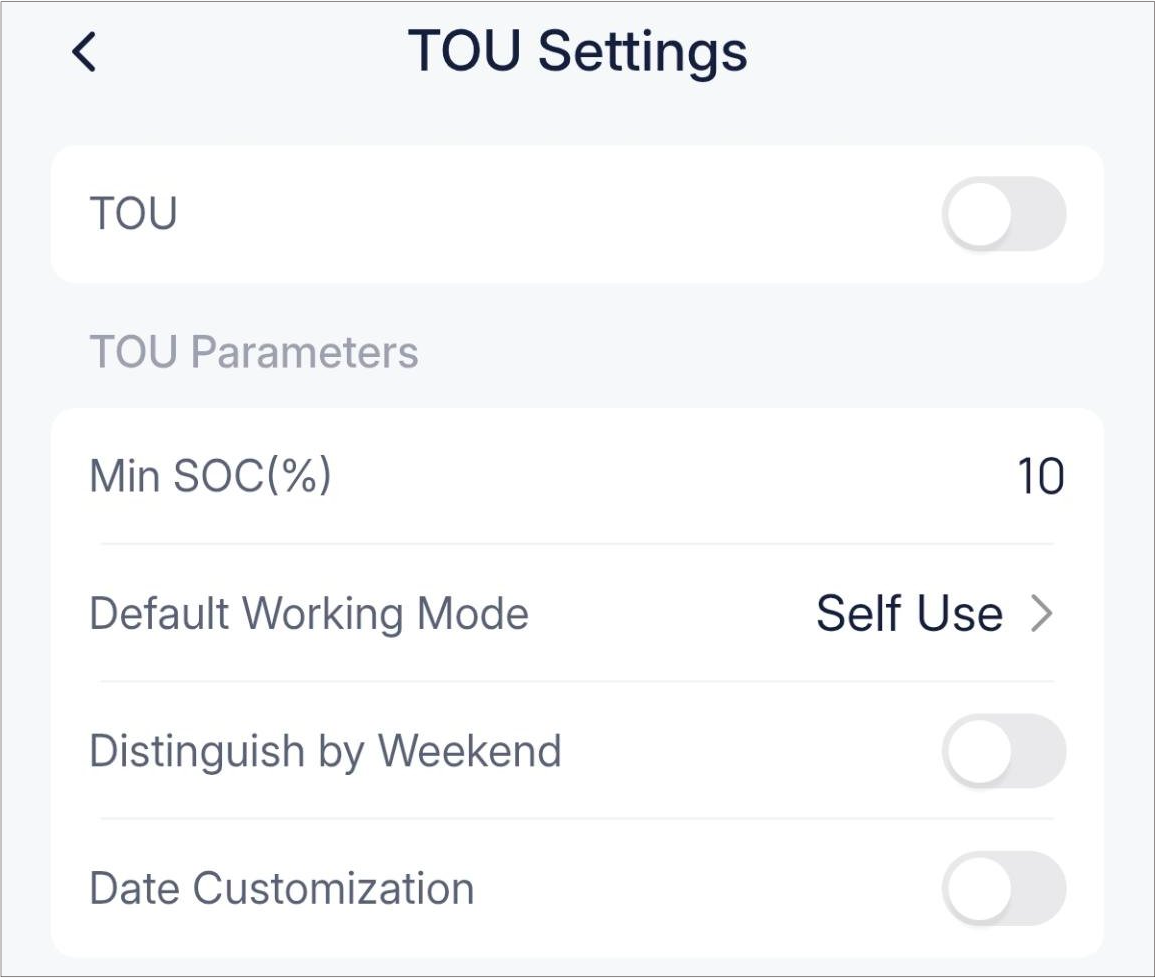
If required, define the TOU mode more by completing the below settings:
- Manually switch on or off TOU。
- Set the minimum SOC. Its priority is higher than the priority of a certain period.
- Set the default work mode for the skipped time periods.
- Set whether to apply different tou strategies to weekday and weekends.
- Set whether apply a different tou strategy to a certain date.